Install the Kabellos app
한국어It takes about 3 minutes on your phone. Just tap the buttons below in order.
Android phones only · about 15 MB
Steps
- 1
Download the app
- Tap [Get the Kabellos app] above.
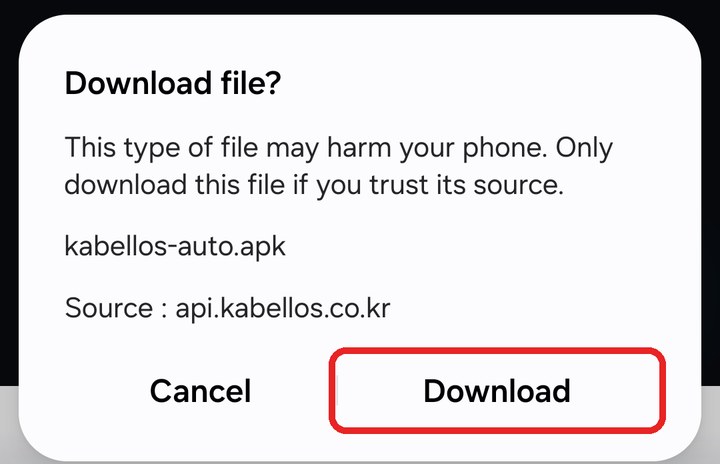
- On 'Download file?', tap [Download]. Chrome shows 'File might be harmful' instead: tap [Download anyway]. Every app from outside the Play Store shows this.
- 2
Open the file
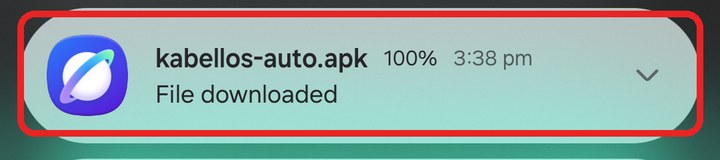
- When the download finishes, swipe down from the top of the screen and tap 'kabellos-auto.apk' in your notifications.
- In Chrome you can also tap [Open] at the bottom of the screen.
- 3
Allow installing (first time only)
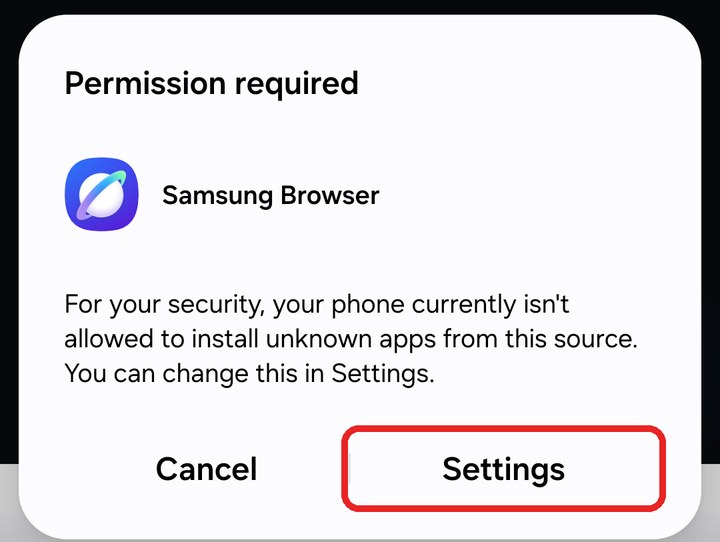
- If 'Permission required' appears, tap [Settings].
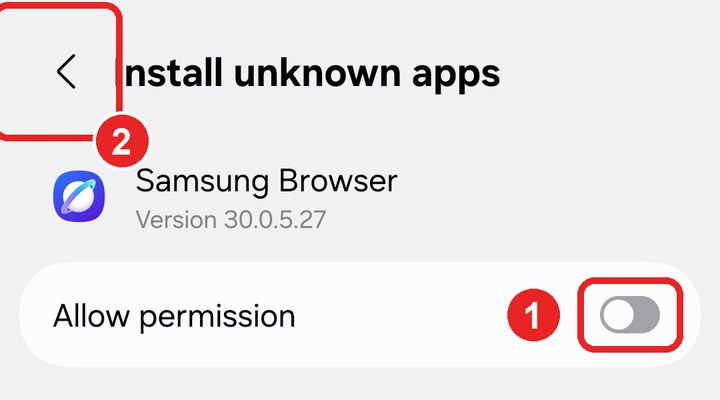
- Turn on [Allow permission], then tap [<] at the top left.
- Back on this page, tap [Get the Kabellos app] once more, tap [Download], then open the file from your notifications as in step 2.
- 4
Install
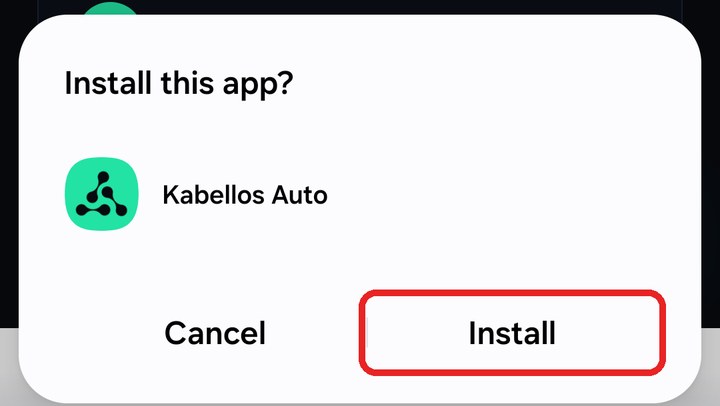
- On 'Install this app?', tap [Install].
- 5
Get past the warnings
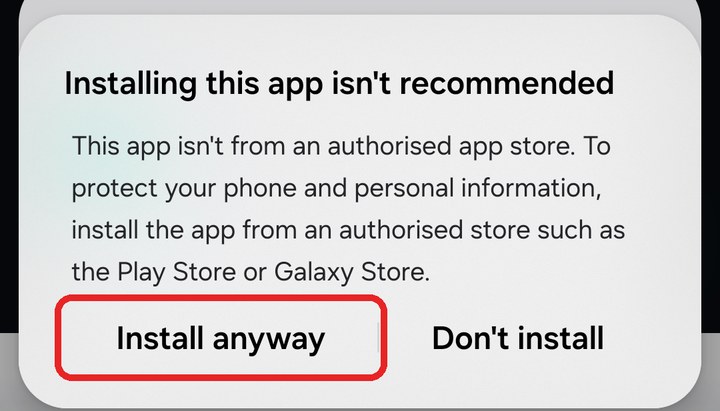
- On 'Installing this app isn't recommended' or 'Unsafe app', tap [Install anyway].
- If it appears again as a full screen, tap the grey [Install anyway]. The blue [Don't install] cancels.
- Every app from outside the Play Store gets these warnings. Kabellos makes this app and it is safe.

- 6
Play Protect scan
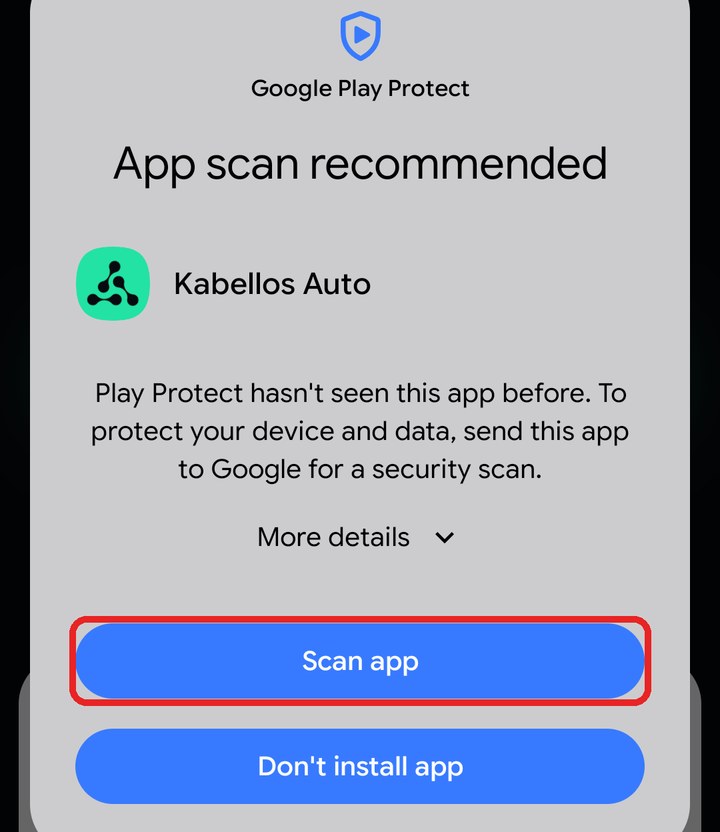
- On 'App scan recommended', tap [Scan app] and wait a moment.
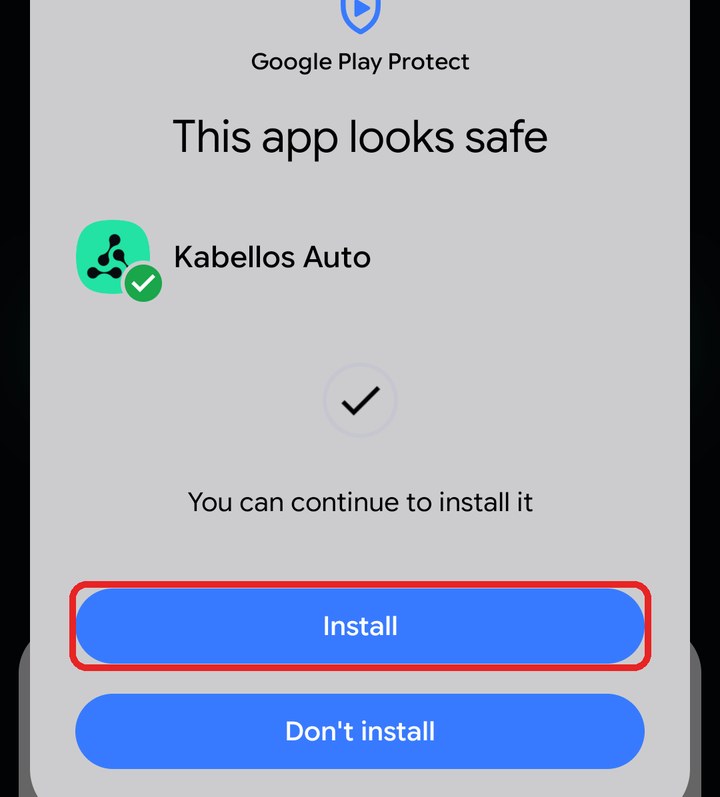
- When it says 'This app looks safe', tap [Install].
- 7
Done
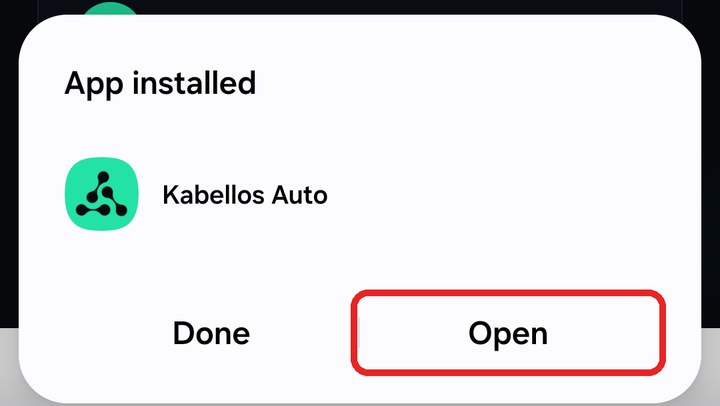
- On 'App installed', tap [Open]. The app shows you the rest of the setup with pictures.
If you get stuck
Nothing happens when I tap [Get the Kabellos app]
This happens inside apps such as KakaoTalk or Naver. Tap [Open in browser] at the top of this page, or tap [⋮] at the top right and choose 'Open in browser'.
Samsung's Auto Blocker stops the installation
Go to Settings → Security and privacy → Auto Blocker and turn off the switch at the top. Confirm it's you, then open the file again.
It says the scan could not be completed
The scan fails when Wi-Fi is connected to a network without internet, such as the dongle (Kabellos-…). Turn Wi-Fi off and tap [Try again].
It says the app is suspected to be malicious
Apps from outside the Play Store get this warning. Kabellos makes this app and it does not collect your personal data. Tap [Install anyway].
Do iPhones need the app?
No. iPhones connect to CarPlay without an app. Video mode is for Android only.
Still stuck? Customer support 010-2854-0672 (weekdays 10:00–17:00 KST) · support@kabellos.co.kr